ShopDreamUp AI ArtDreamUp
Deviation Actions


Suggested Deviants


Suggested Collections


You Might Like…


Description
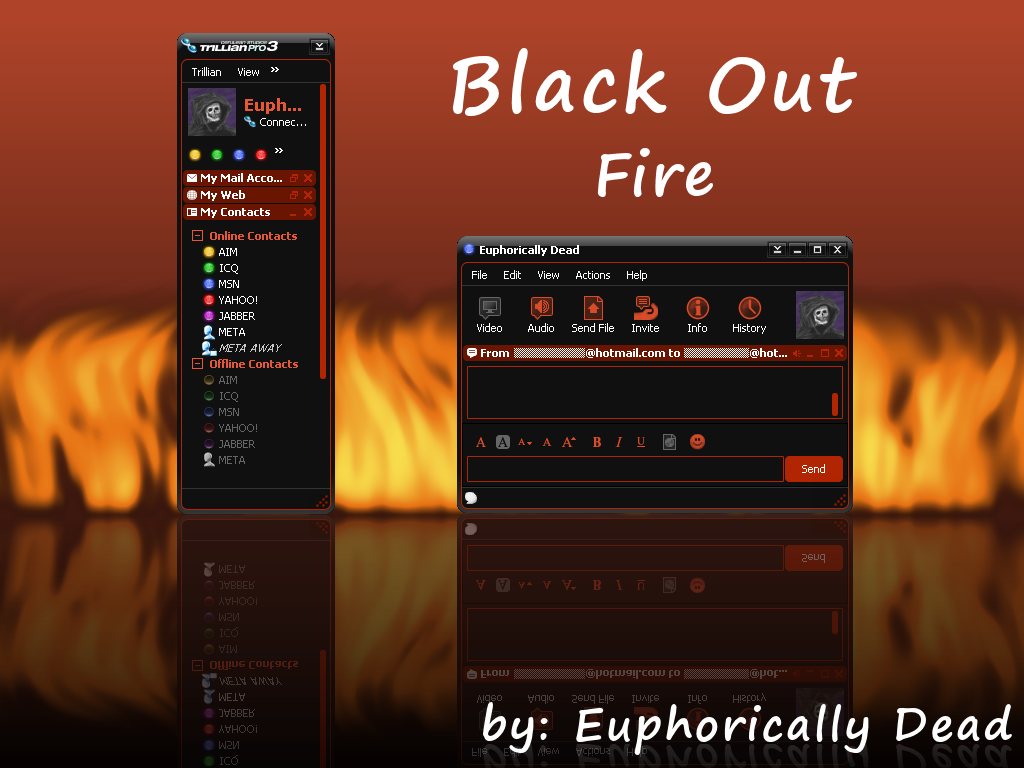
Black Out: Fire for Trillian
[ Red Version ]
All new dark skin designed to make Trillian resemble a hand held device. Contains new toolbar and menu icons.
Be sure to if you like it.
Colors available in this series:
Black Out: Electric (Blue)
Black Out: Fire (Red)
Black Out: Radioactive (Green)
Check out my other Trillian skins:
White Rabbit Dark: Emerald for Trillian
Watercolor Emico: Ergo Blue for Trillian
Watercolor Emico: Blue for Trillian
Watercolor Emico: Olive for Trillian
Watercolor Emico: Silver for Trillian
Watercolor Emico: Black for Trillian
Watercolor Emico: Washed Black for Trillian
Installation:
Extract to your Trillian\skins folder.
Notes:
Several of my pet peeves were addressed with this skin.
- Tabbed container’s internal window size matches internal window size.
- Resizable status button is skinned separately.
- Added some comments to settings.ini.
- SliceWidth's are auto calculated in settings.ini.
- Increase the tab height. Adjusted tab text positioning.
- Minimal skin panel headers are not cropped.
- My Contacts is not ...
Credits:
Thank you Kid @ DesignHazard for stixe.
Thank you Cerulean Studios for Trillian.
[ Red Version ]
All new dark skin designed to make Trillian resemble a hand held device. Contains new toolbar and menu icons.
Be sure to
if you like it.Colors available in this series:
Black Out: Electric (Blue)
Black Out: Fire (Red)
Black Out: Radioactive (Green)
Check out my other Trillian skins:
White Rabbit Dark: Emerald for Trillian
Watercolor Emico: Ergo Blue for Trillian
Watercolor Emico: Blue for Trillian
Watercolor Emico: Olive for Trillian
Watercolor Emico: Silver for Trillian
Watercolor Emico: Black for Trillian
Watercolor Emico: Washed Black for Trillian
Installation:
Extract to your Trillian\skins folder.
Notes:
Several of my pet peeves were addressed with this skin.
- Tabbed container’s internal window size matches internal window size.
- Resizable status button is skinned separately.
- Added some comments to settings.ini.
- SliceWidth's are auto calculated in settings.ini.
- Increase the tab height. Adjusted tab text positioning.
- Minimal skin panel headers are not cropped.
- My Contacts is not ...
Credits:
Thank you Kid @ DesignHazard for stixe.
Thank you Cerulean Studios for Trillian.
© 2008 - 2024 euphoricallydead
Comments14
Join the community to add your comment. Already a deviant? Log In
awesome work! Thanks and i look forward to seeing what you create next.
